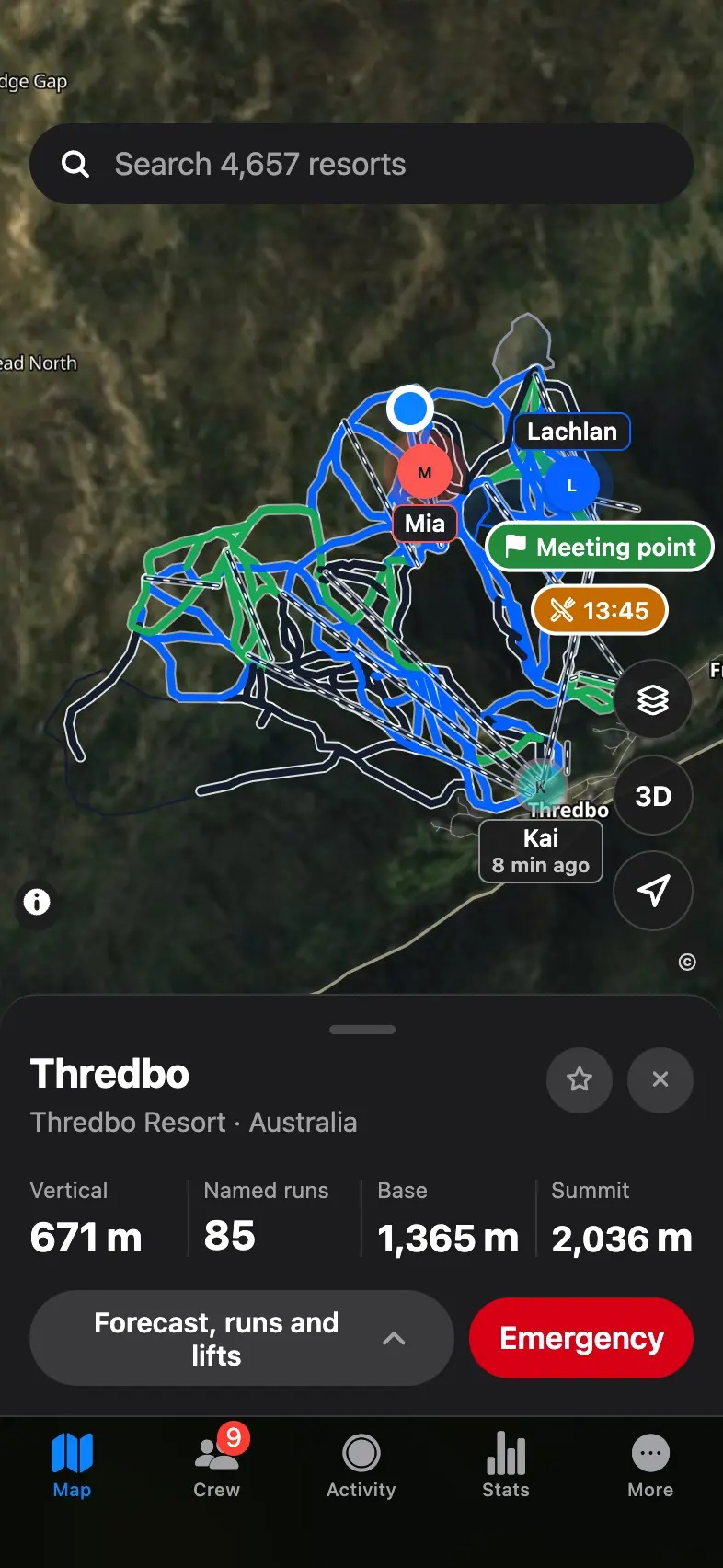
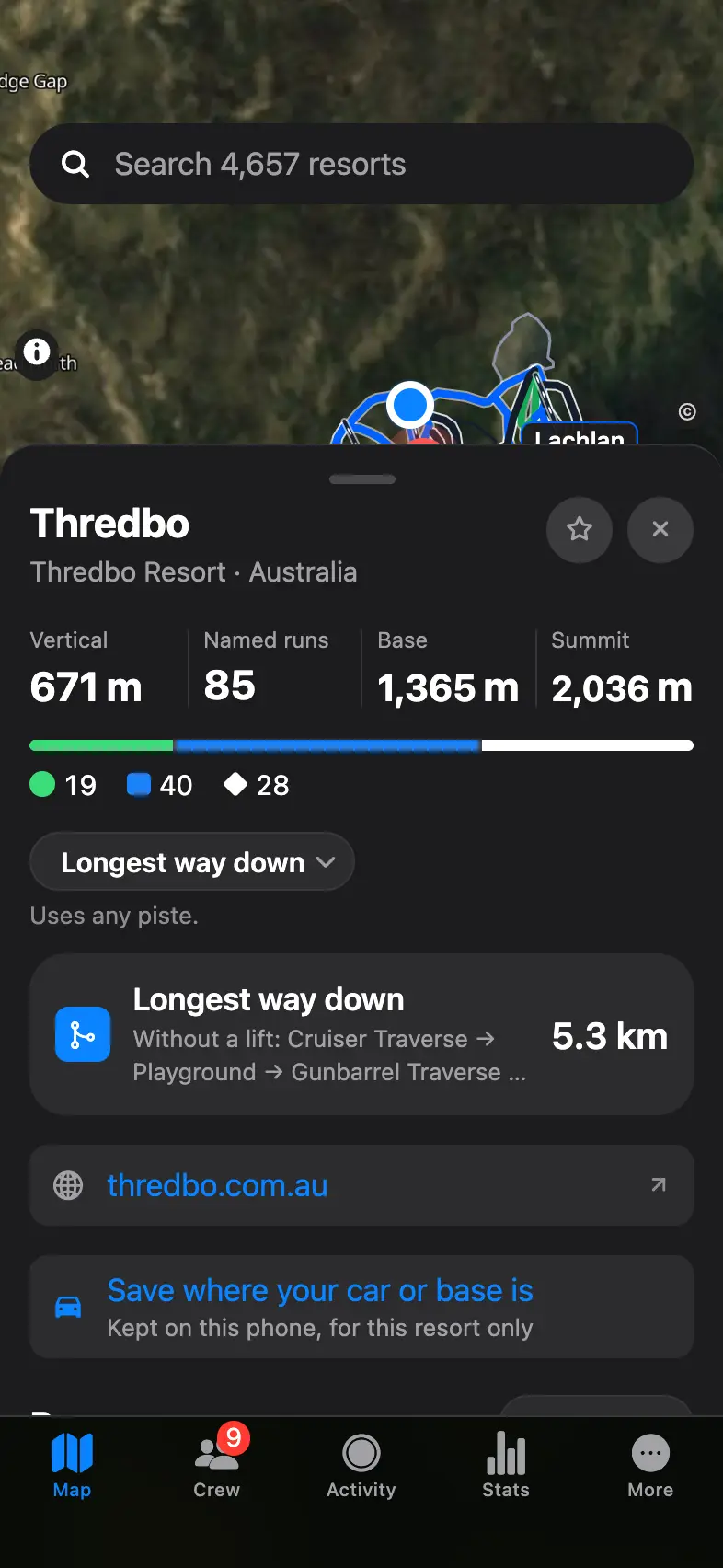
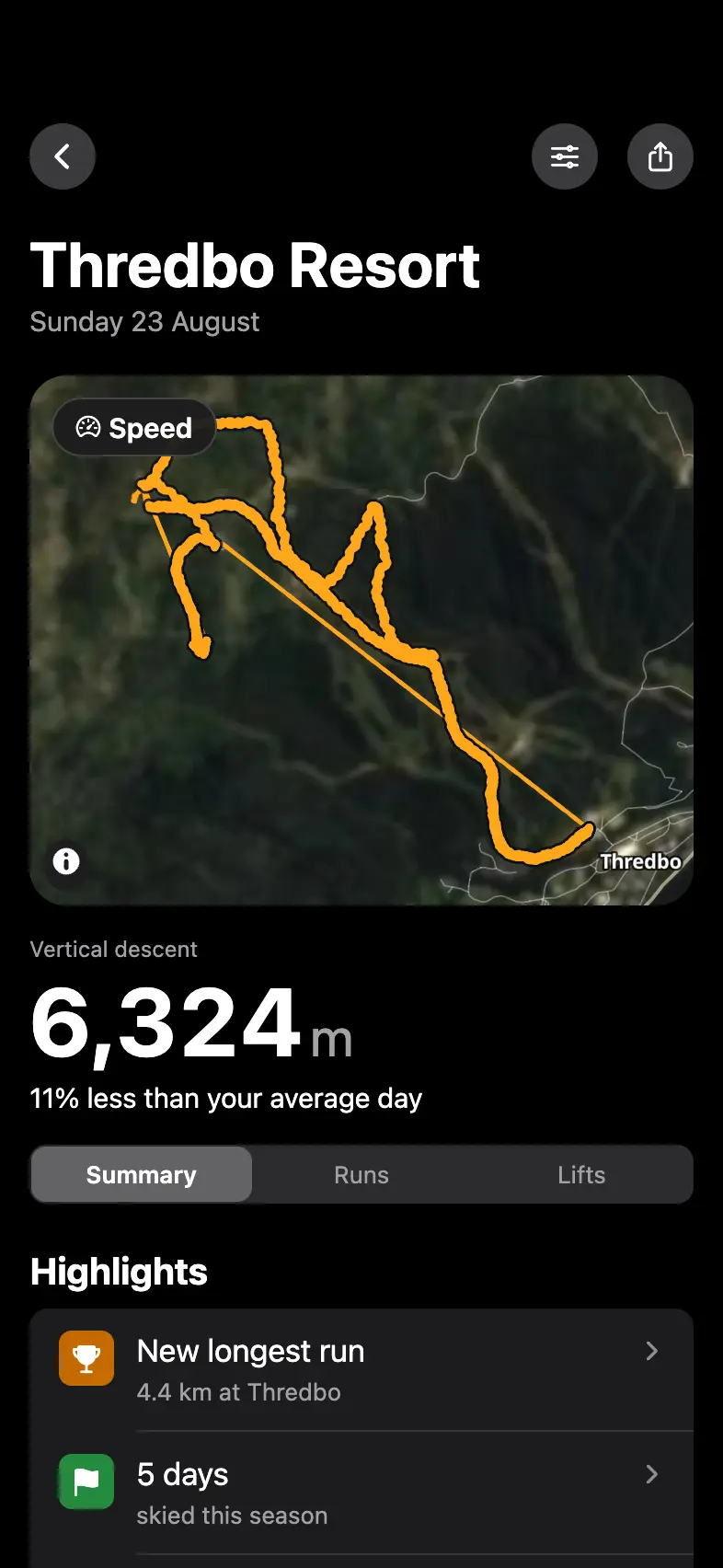
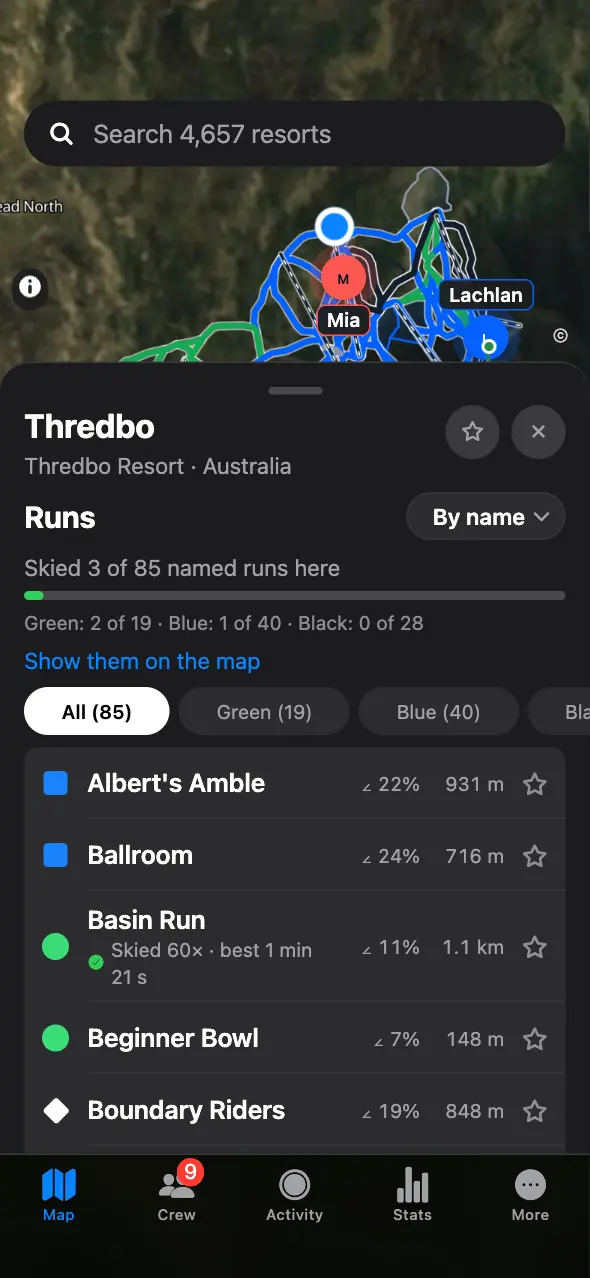
Satellite imagery of the real resort, every run in its difficulty colour, every lift, and your crew moving across the mountain as it happens. Tap a resort for its vertical, its runs by difficulty and how many of them you have skied.
9:41
023D
See the slopebefore you ski it.
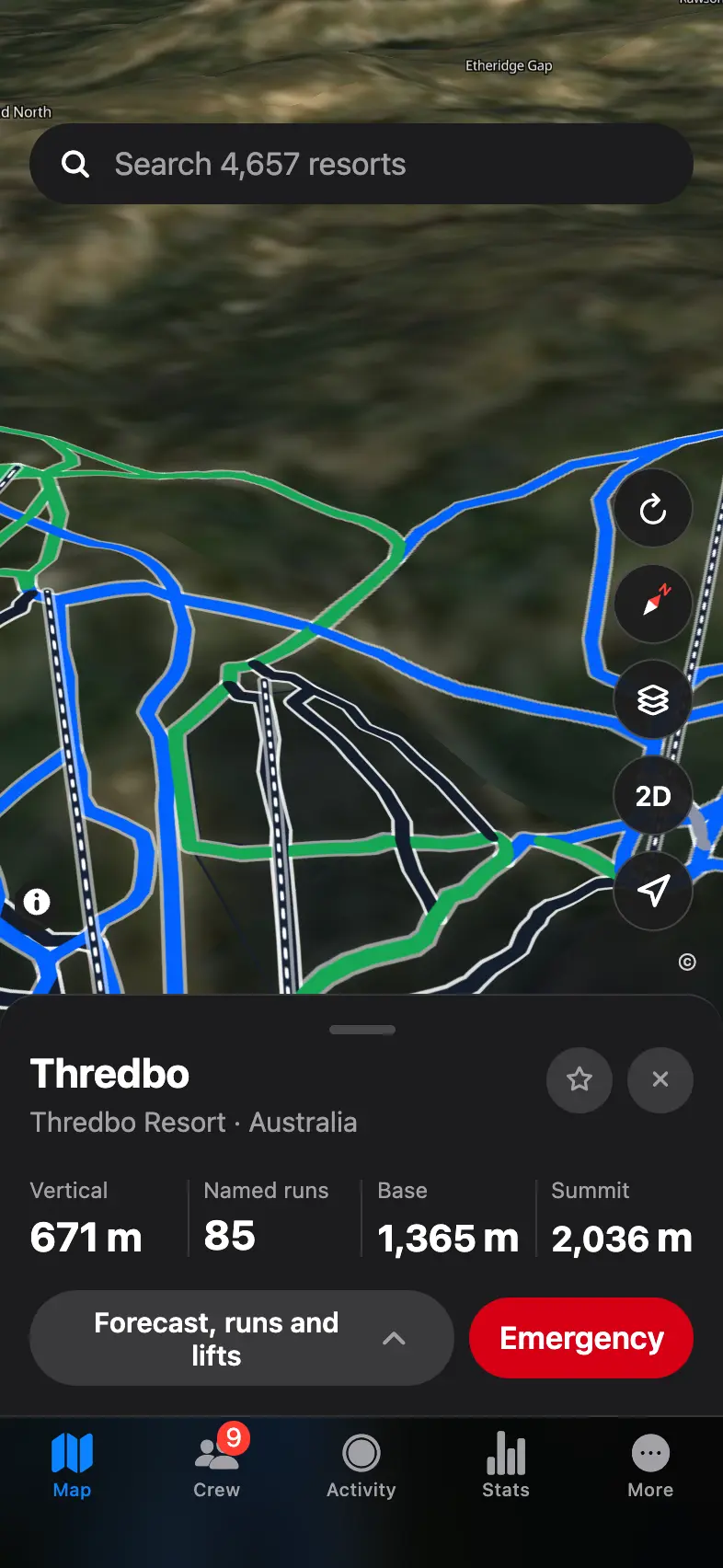
Tilt the map and the mountain rises in 3D, with every run and lift laid over the real terrain.
9:41
03Recording
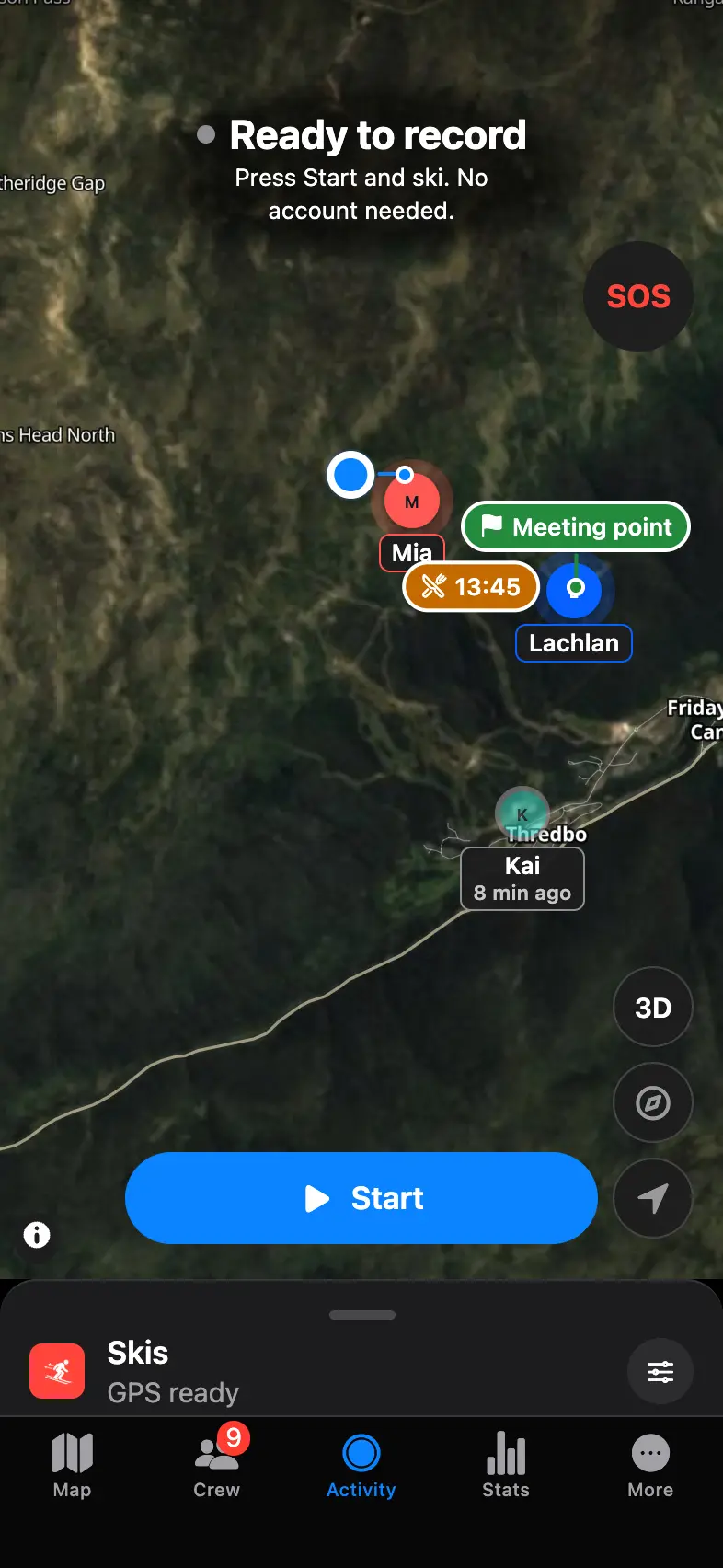
Press Start.Put your phone away.
PISTEBOUND detects runs, lifts, queues and stops automatically while your phone stays locked in your pocket. It pauses and resumes by itself.
Runs and lifts are counted live and settled when you finish.
If iOS closes the app, your day keeps its progress.
A battery saver for days that have to last until the last lift.
9:41
04Runs
Every run has a name.
Each descent is matched to the run you skied, timed from the top and compared with your best on that run. During the run, you can see how far ahead or behind you are.
9:41
05Timeline
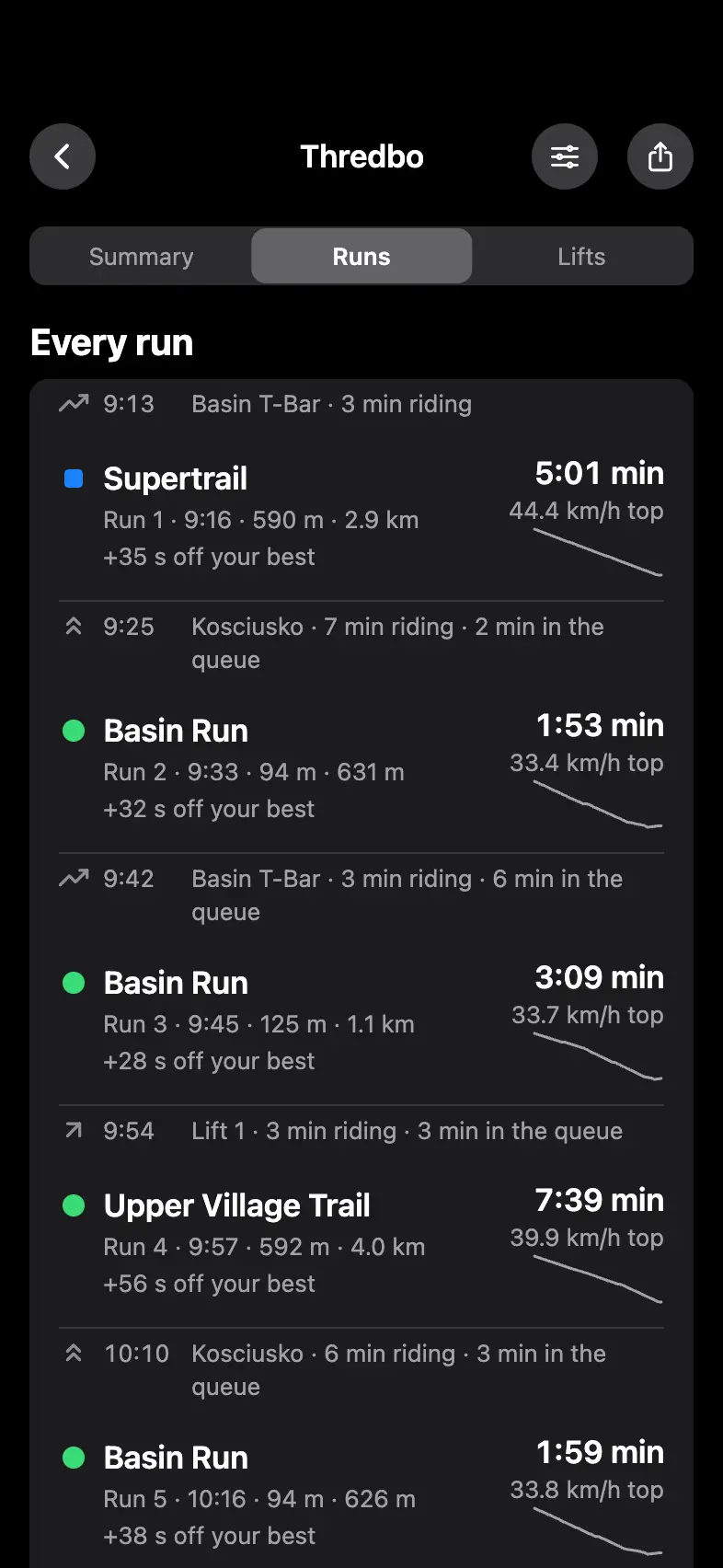
The whole day,in order.
Every run, lift, queue and break in the order they happened, with the time, the vertical and your top speed. Each descent shows its run. Tap one to see it on the map.
9:41
06Every run
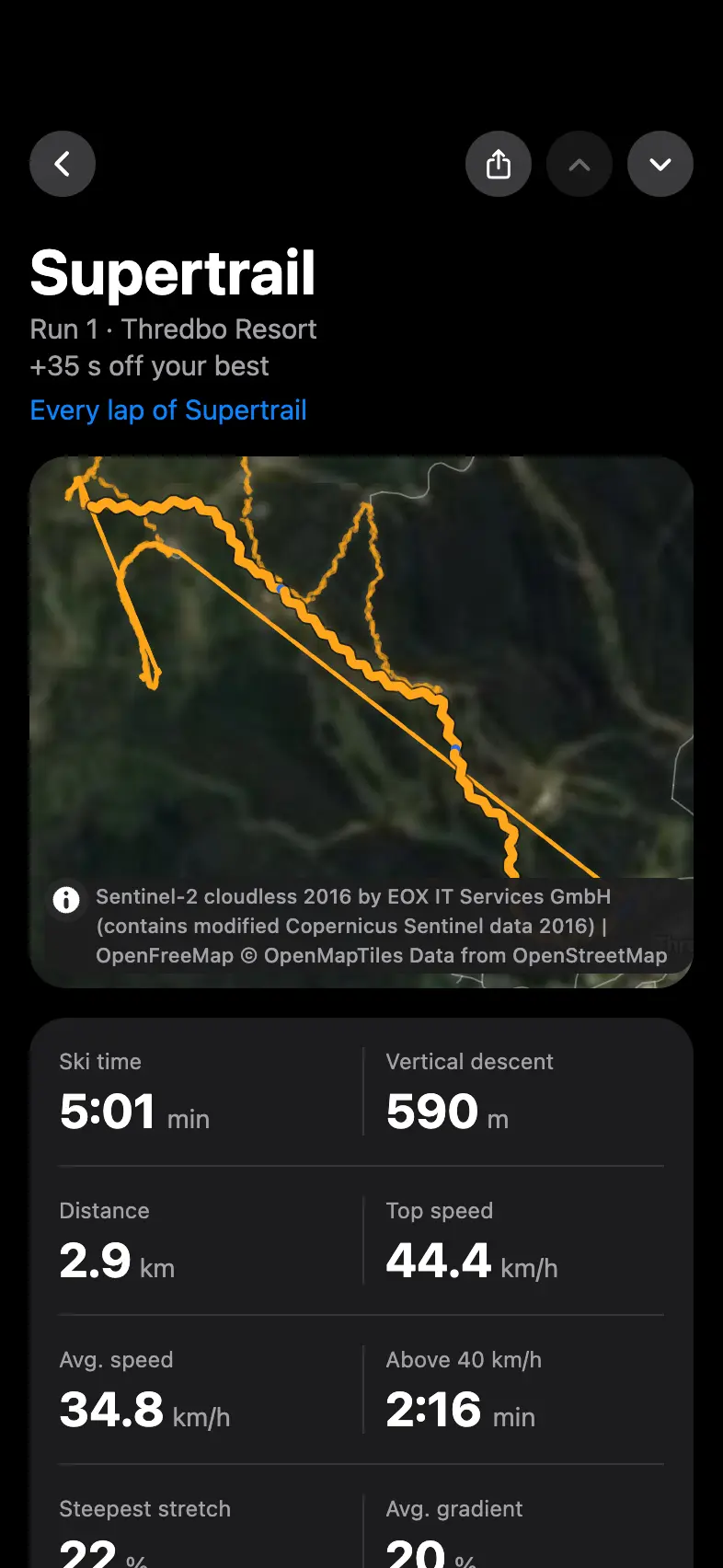
Beat yourown time.
Open a run for its time, speed, vertical, gradient and steepest stretch. On a run you have skied before, your best and every earlier lap are one tap away.
9:41
07Replay
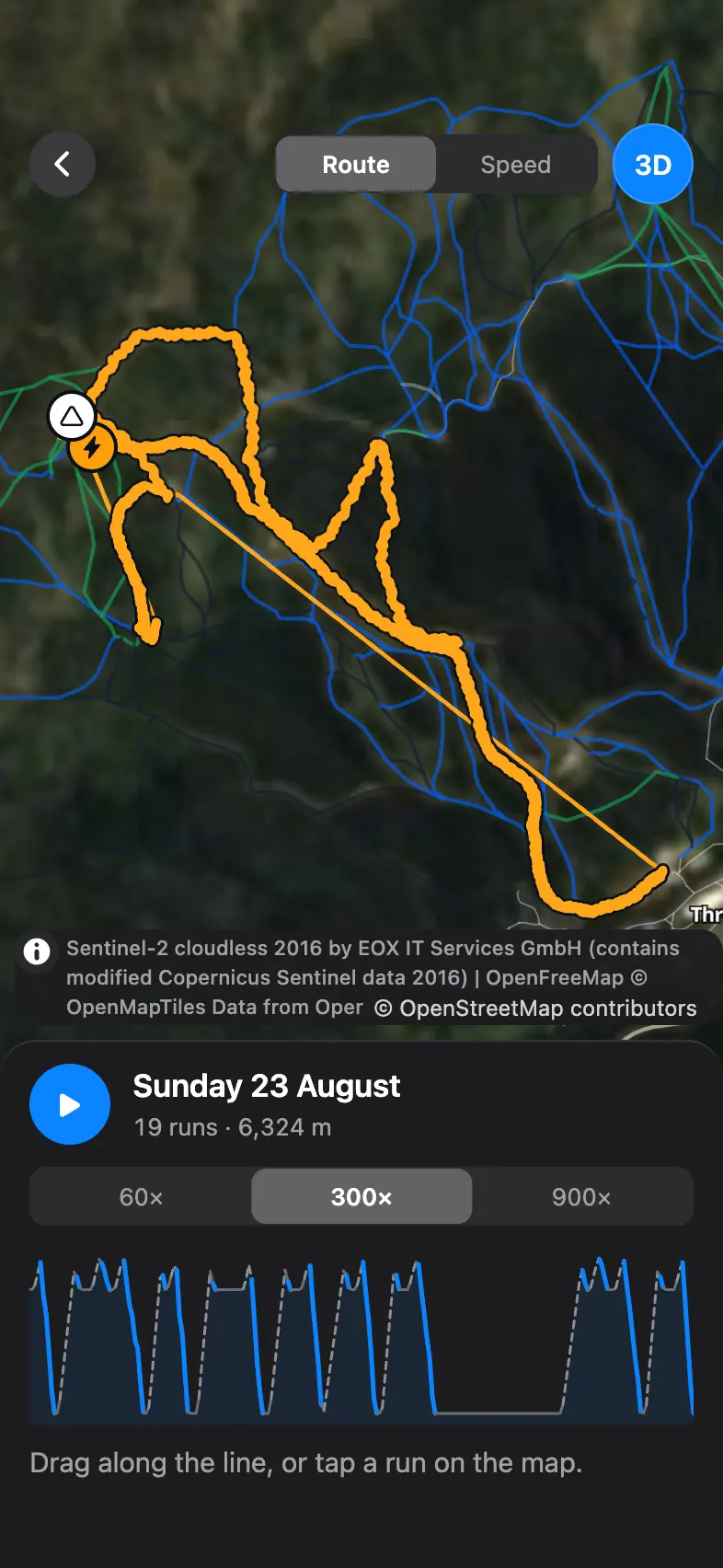
Replay any run.
Play the day back on the map at 60×, 300× or 900×, in 3D if you like, or drag along the chart to any moment of it.
9:41
08Share
A card for every day.
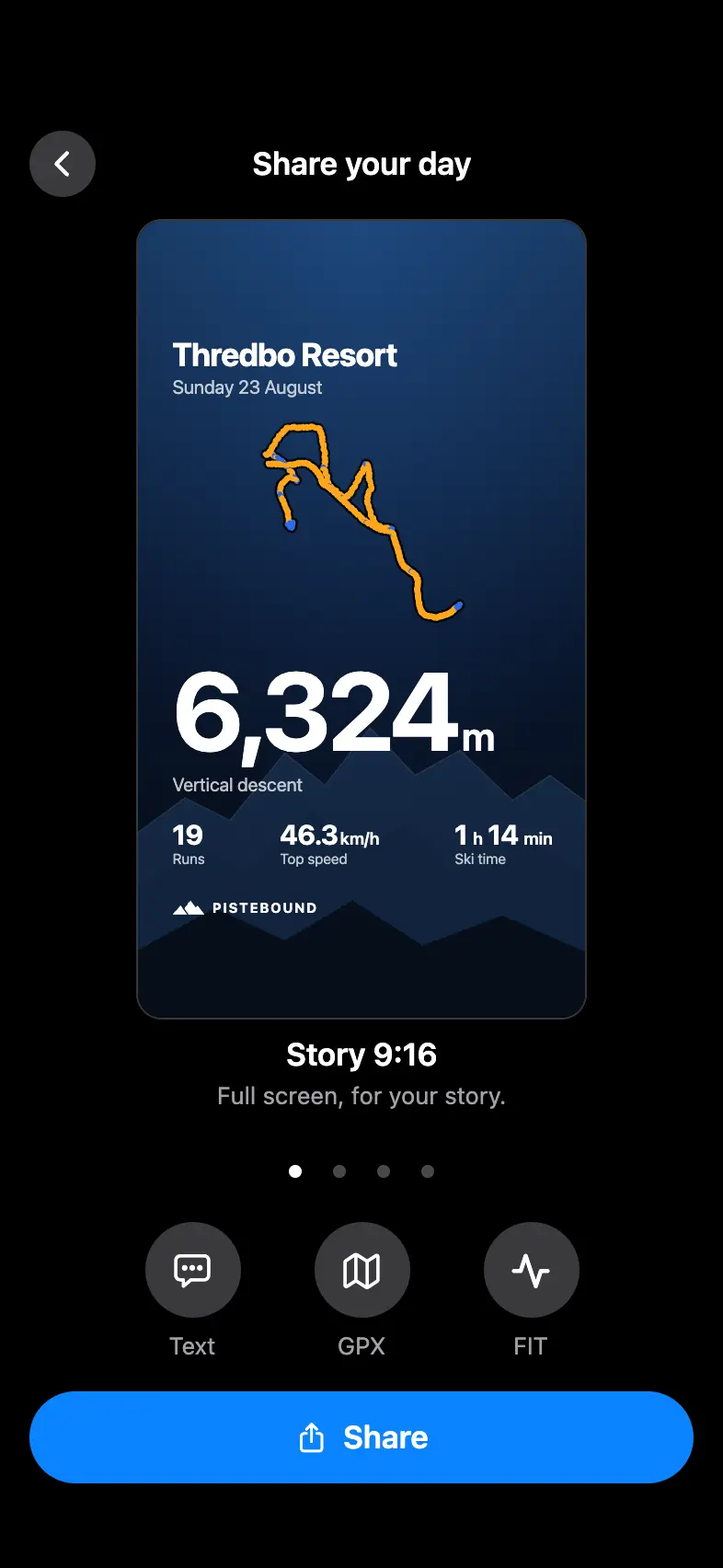
Share a day on the snow or a single run as a card made for your story, or send the track as a GPX or FIT file.
9:41
09Records
Your records,always in view.
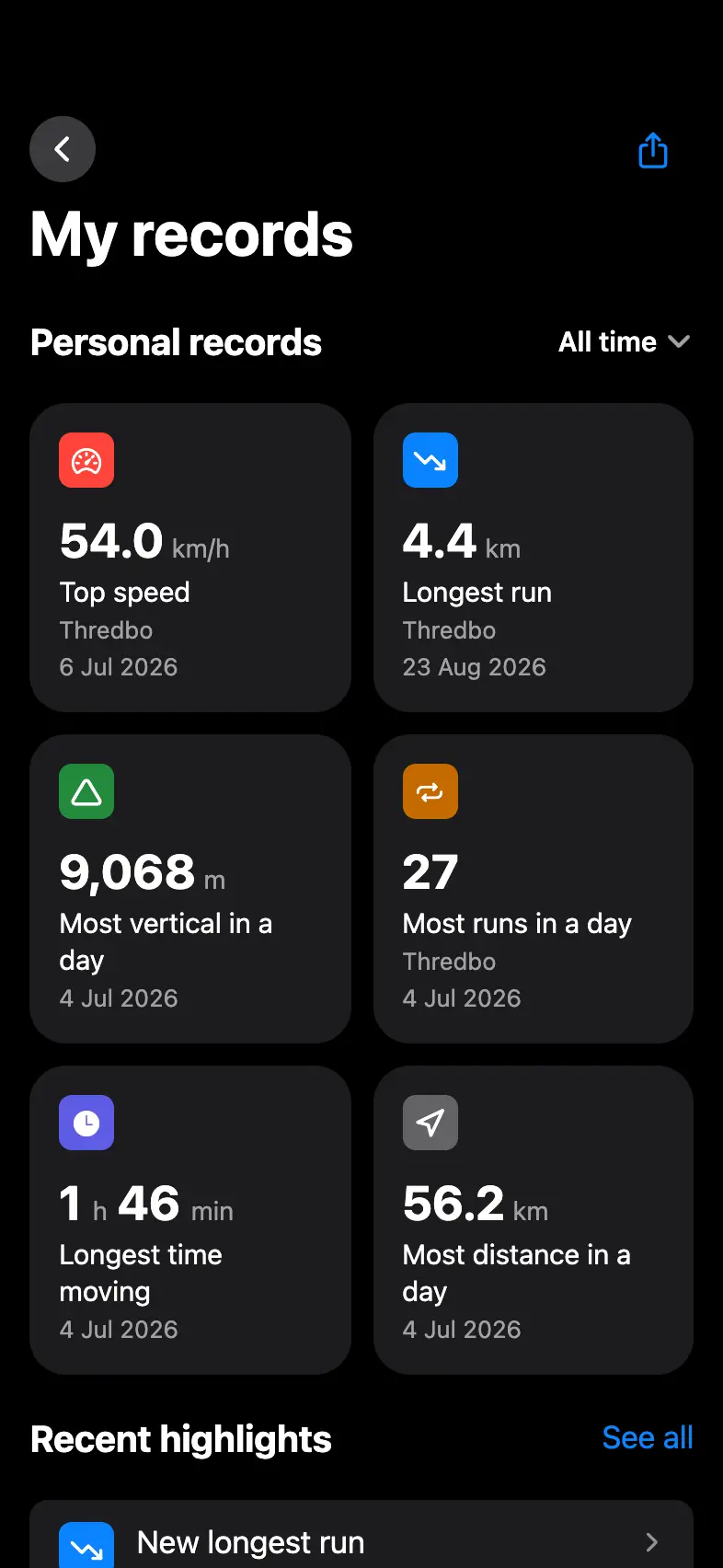
Top speed, longest run, biggest day and most runs in a day, each with the date you set it. When you break one, the day you broke it says so.
9:41
10Run leaderboards
Who is quickeston your run?
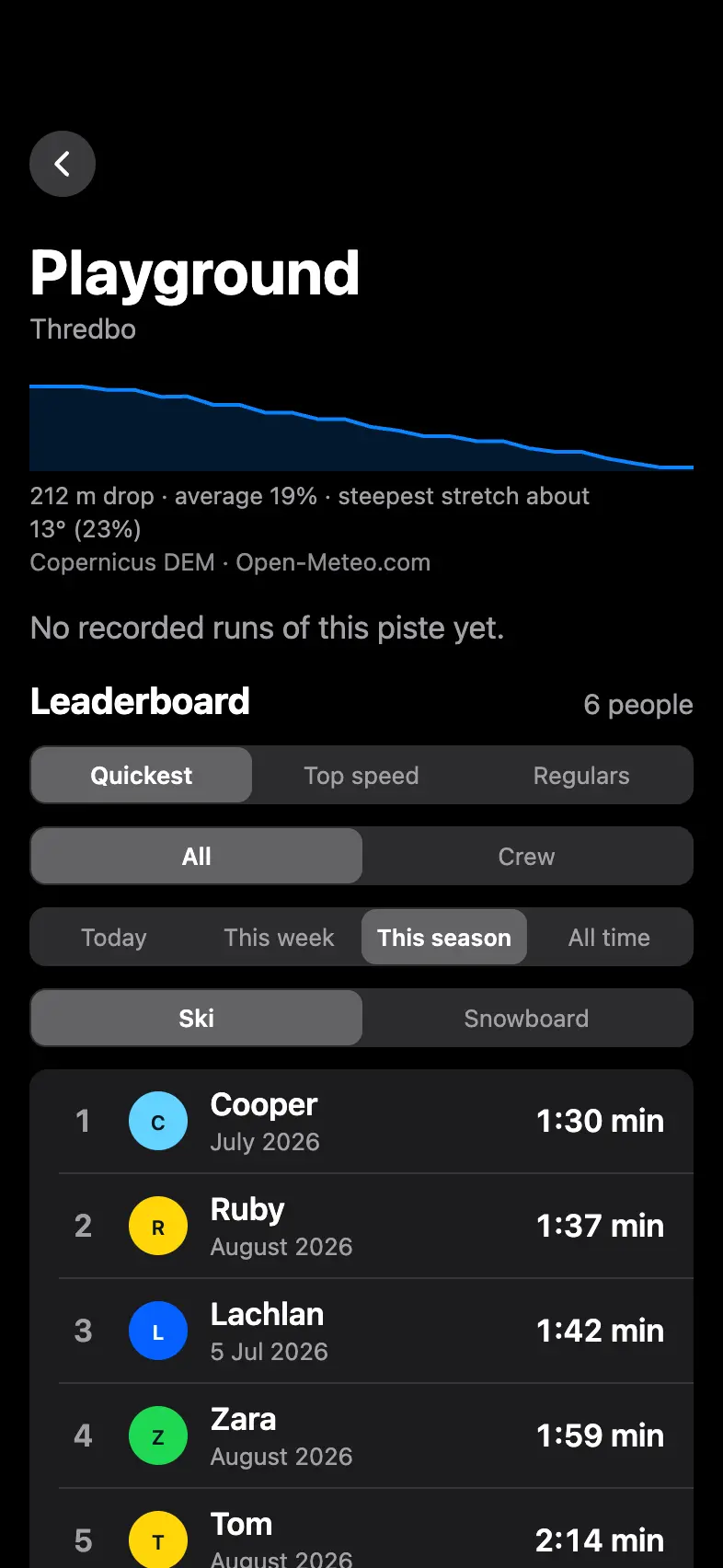
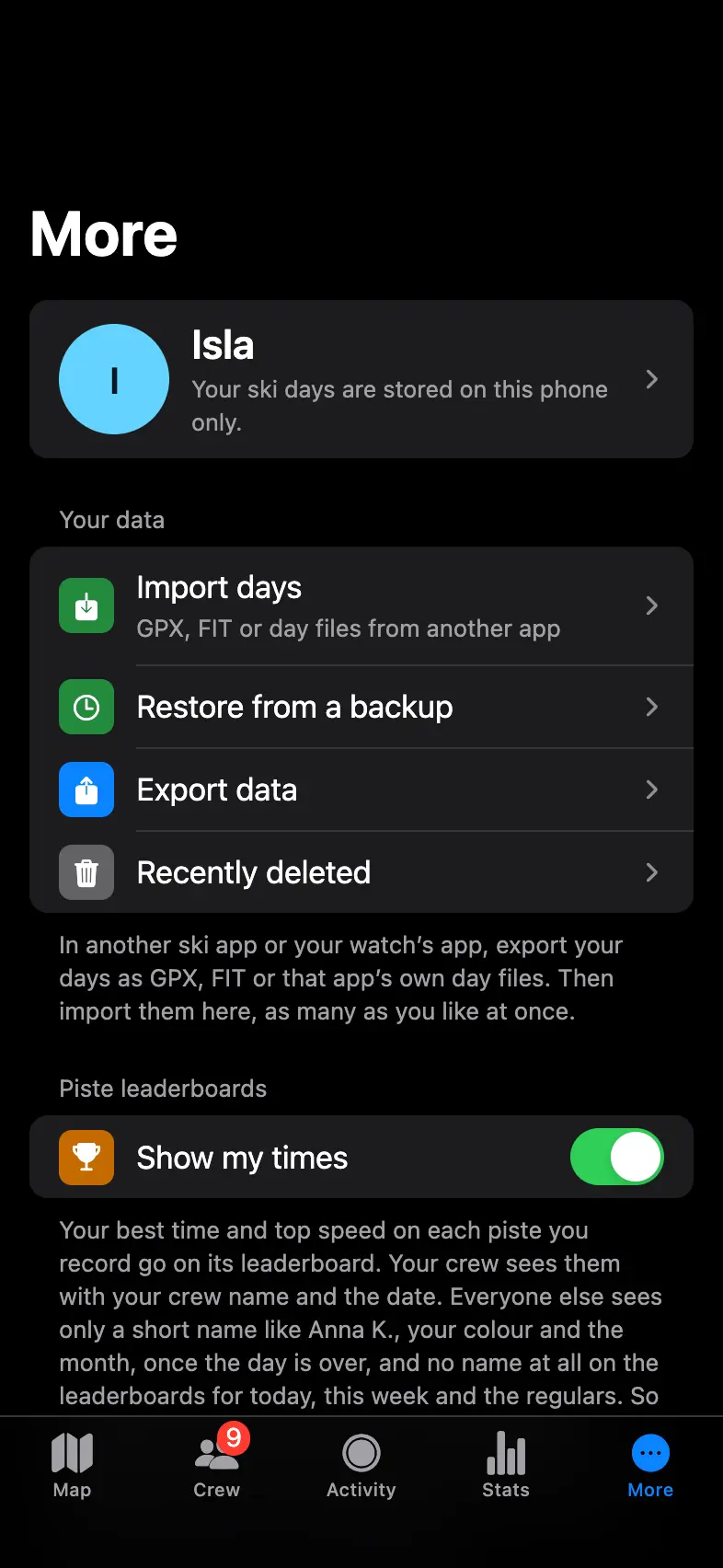
Turn on Show my times in More and your best time on each run goes on its leaderboard, which also ranks the regulars who ski it most. See everyone or just your crew, for today, this week, this season or all time, on skis or a snowboard. It needs an account and stays off until you turn it on.
9:41
11Season
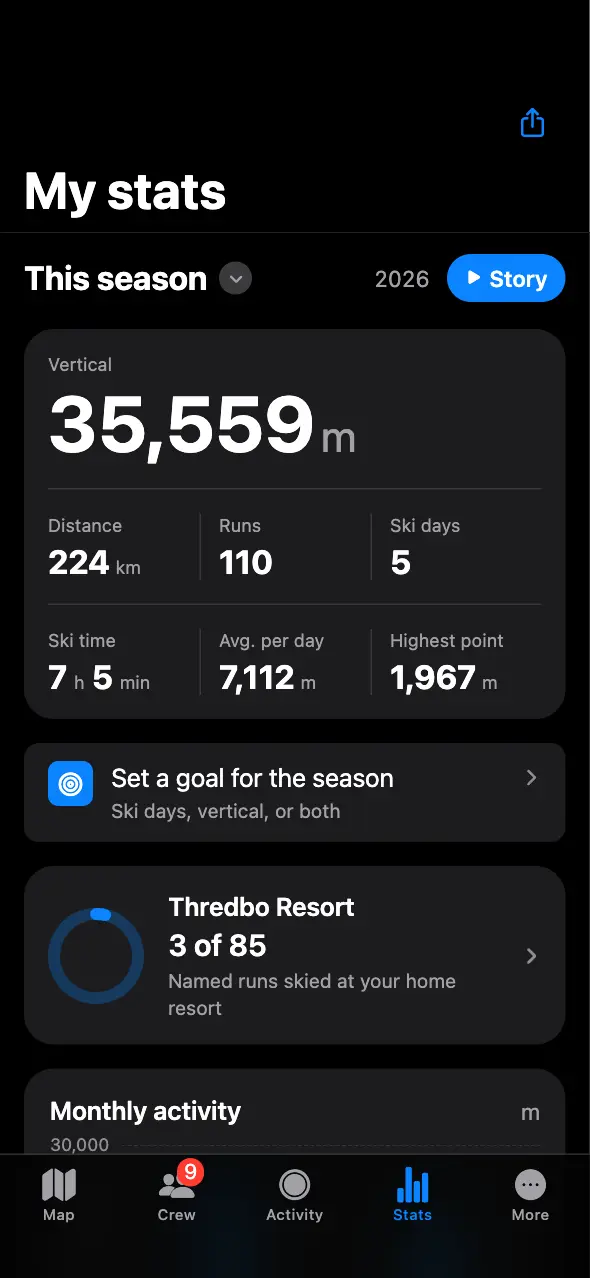
Your season in one place.
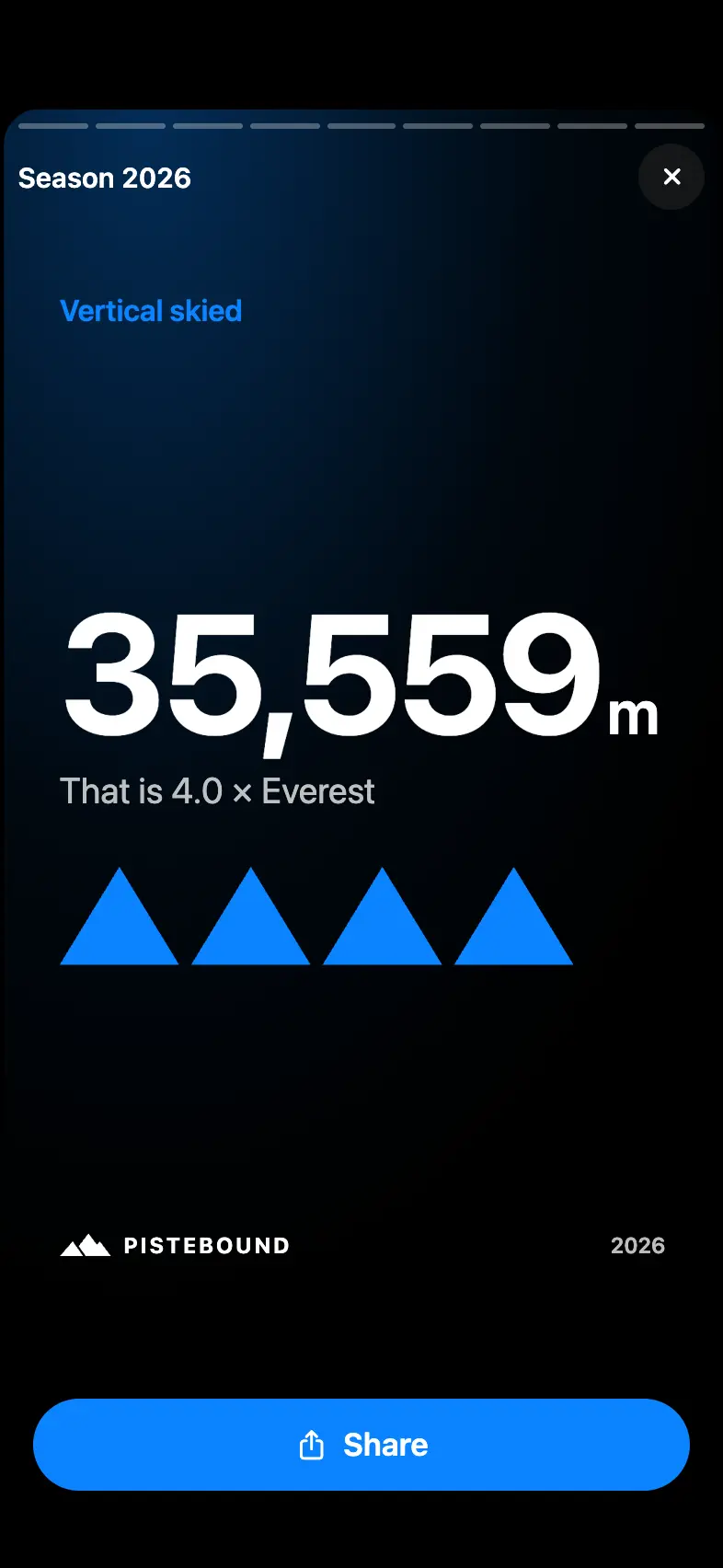
See vertical, days, runs, your best day and run records. Earn badges, make a season poster and share cards for days and runs.
9:41
12Crew
Your crew,on one map.
Share your location for an hour, a few hours or a whole trip. Sharing stops by itself, and anyone who joins later sees only what you share after they join.
9:41
13Settings
Set it upyour way.
58 language versions, metric or imperial units, what you ride, bigger buttons for gloves, each run read out as you finish it, and a battery saver for long days.
9:41
58language versions
4,657resorts to search
0ads
1tap to start
Live demo
Try the app.
This is PISTEBOUND itself, running in your browser. Tap through the season, open a day, check your records.
The real app, running in your browser on sample days with a sample crew: test tracks generated along the real runs and lifts of Thredbo, with every figure worked out by the app. Recording needs the phone app.
The demo season
One season, counted by the app.
Vertical
35,559m
Runs
110
Ski days
5
Distance
224km
Sample days at Thredbo, worked out by the app itself. The live phone on this page runs on the same days.
Every screen
Look closer.Try everything.
Tap any phone below and that screen opens in the live app.
The Map
Everything on the mountain,one tap away.
See runs in their difficulty colours, lifts with your usual wait, and each run’s length and gradient. Find a way down at your own pace, spot runs you have not skied, and open mountain restaurants, bars and cafés in Apple Maps, Google Maps or Tripadvisor.
9:41
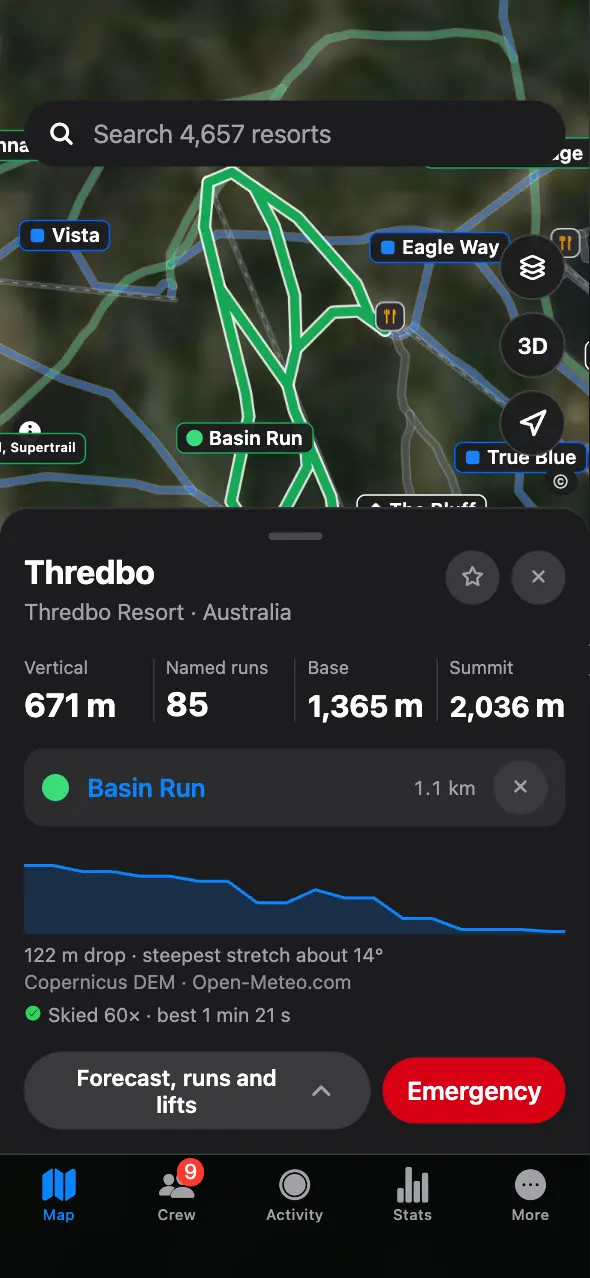
The resort at a glance
Vertical, named runs, base and summit, and your crew on the map.
9:41
Runs by difficulty
How many runs of each colour the resort has, and how many of them you have skied.
9:41
Any run
Pick one to see it on the map, with your laps and your best time on it.
9:41
3D relief
Tilt the map to see the mountain in three dimensions.
9:41
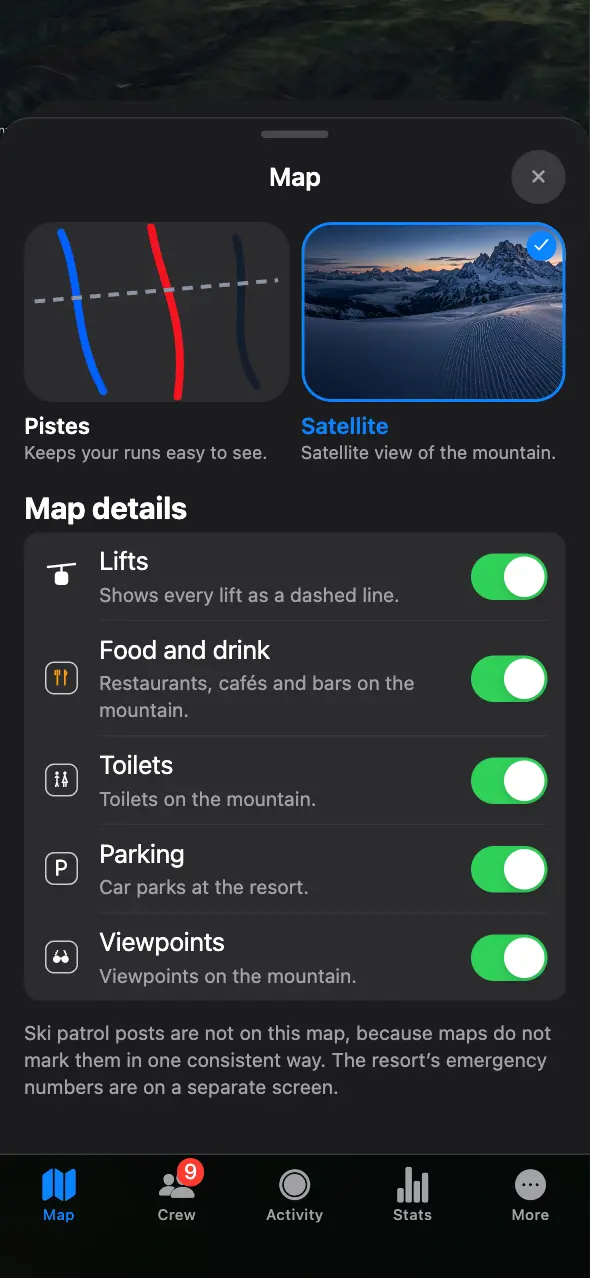
Map layers
Satellite or trail map, plus lifts, food and drink, toilets, parking and viewpoints.
9:41
Emergency numbers
The resort’s emergency numbers, one tap from its map.
Forecast
Snow, wind andthe freezing level.
The forecast for every resort: temperature, new snow, wind, the freezing level and daylight, with the estimated snow depth at the summit and at the base.
Lifts
Know whenyou usually wait.
PISTEBOUND uses only your own past days to show your usual wait at each lift for that hour. It does not use data from other skiers.
Crew
Ski together,even when you split up.
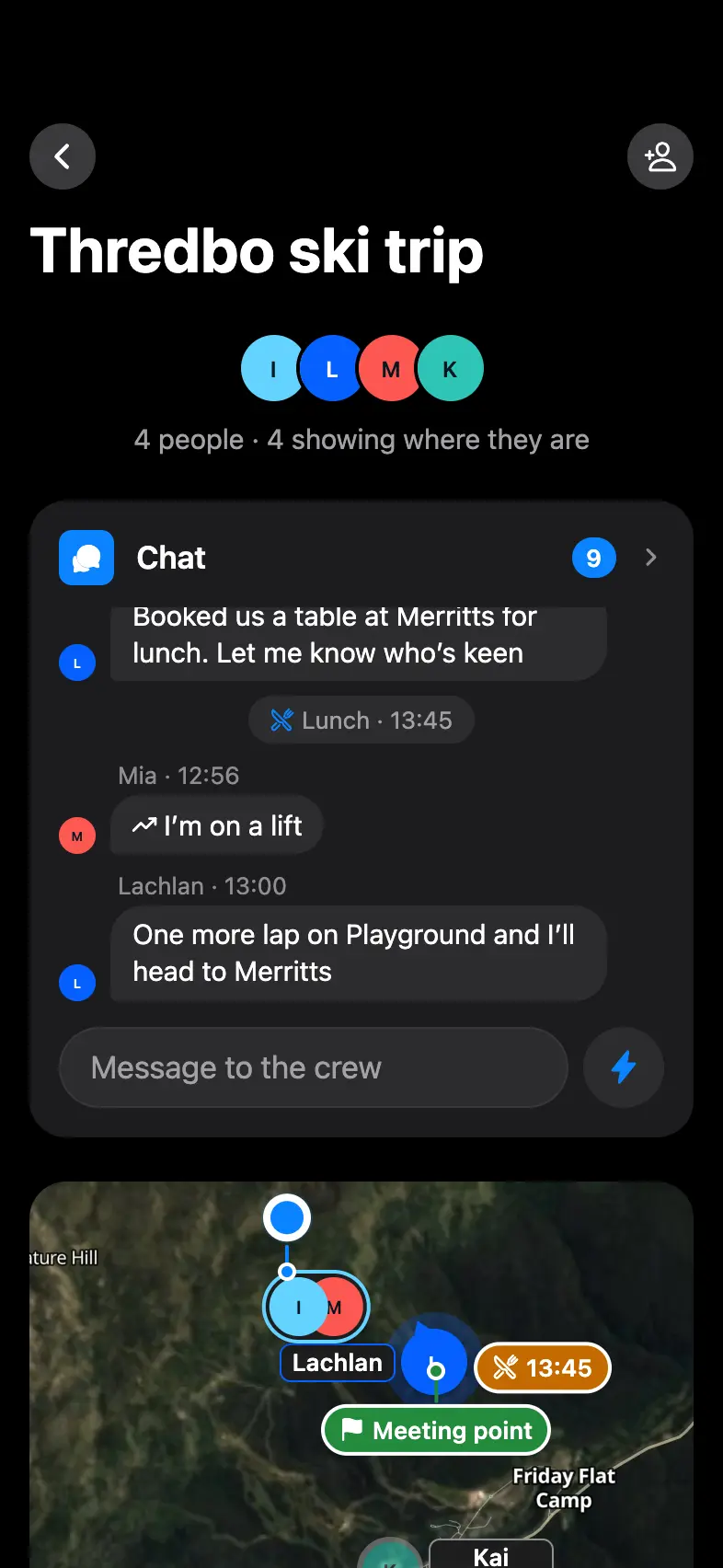
A crew is a group for your trip: a map of where everyone is, a chat, meetups and a leaderboard of its own. Invite friends with a code or a QR code.
9:41
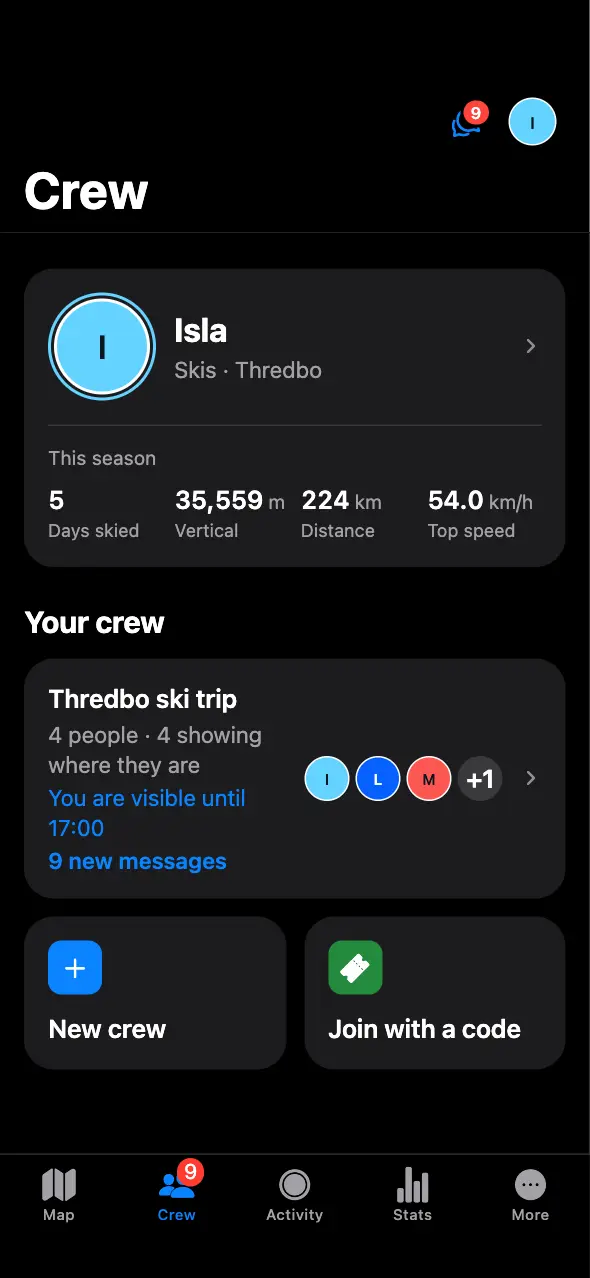
Your crews
Every crew you are in, who is sharing where they are, and what is new.
9:41
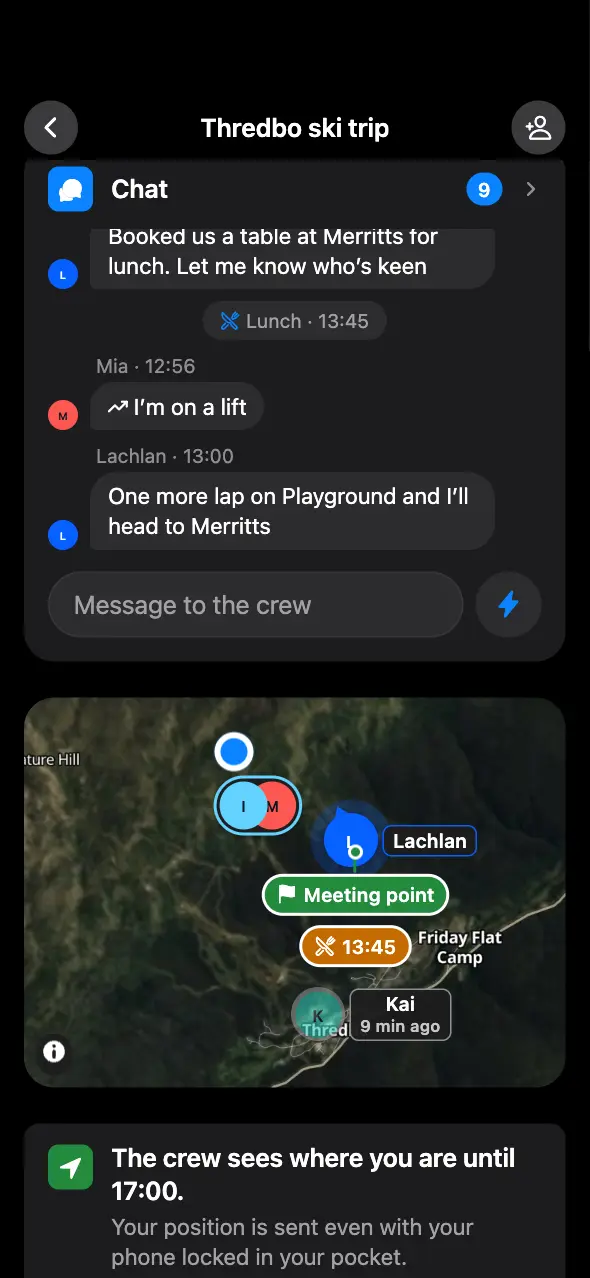
The crew map
Everyone’s position live, the meeting point and the next meetup.
9:41
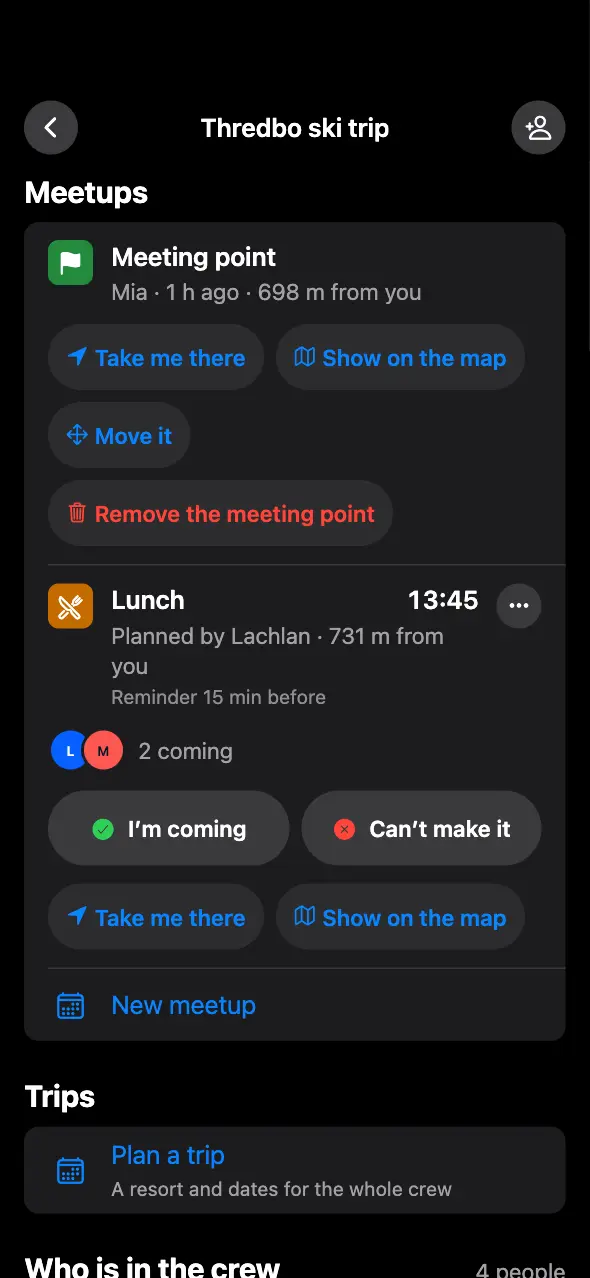
Meetups
Pick a time, a place and a reminder. Everyone says whether they are coming.
9:41
Crew chat
A message with a place in it opens on the map, or takes you straight there.
9:41
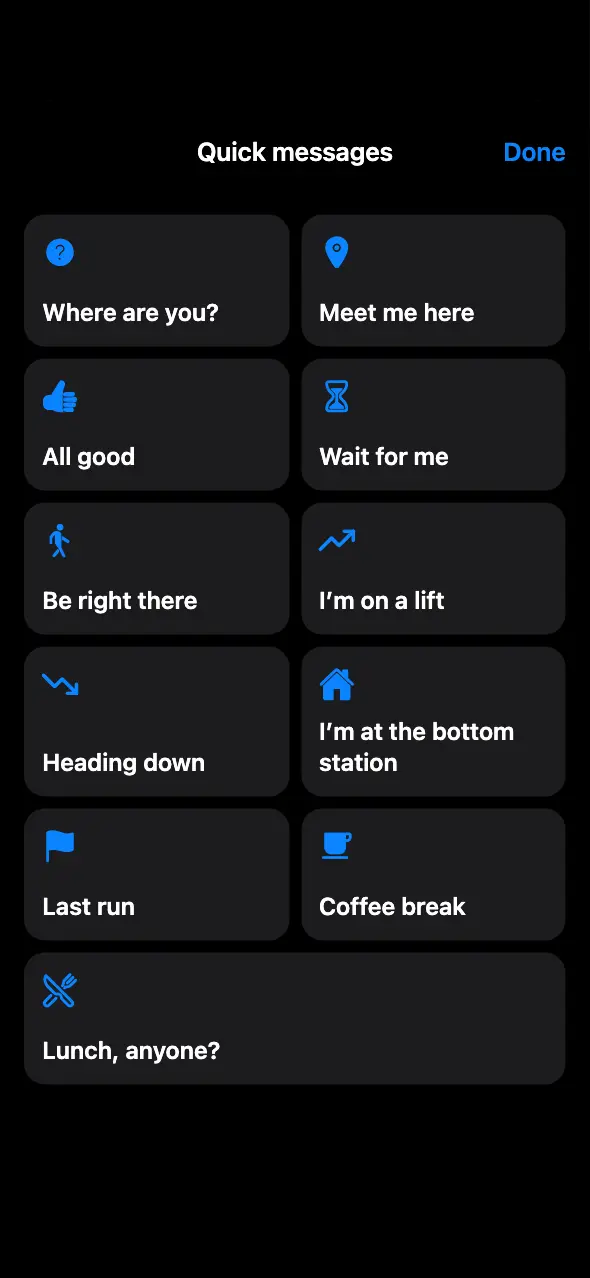
Quick messages
Big buttons for the things you say on the mountain, easy to press with gloves on.
9:41
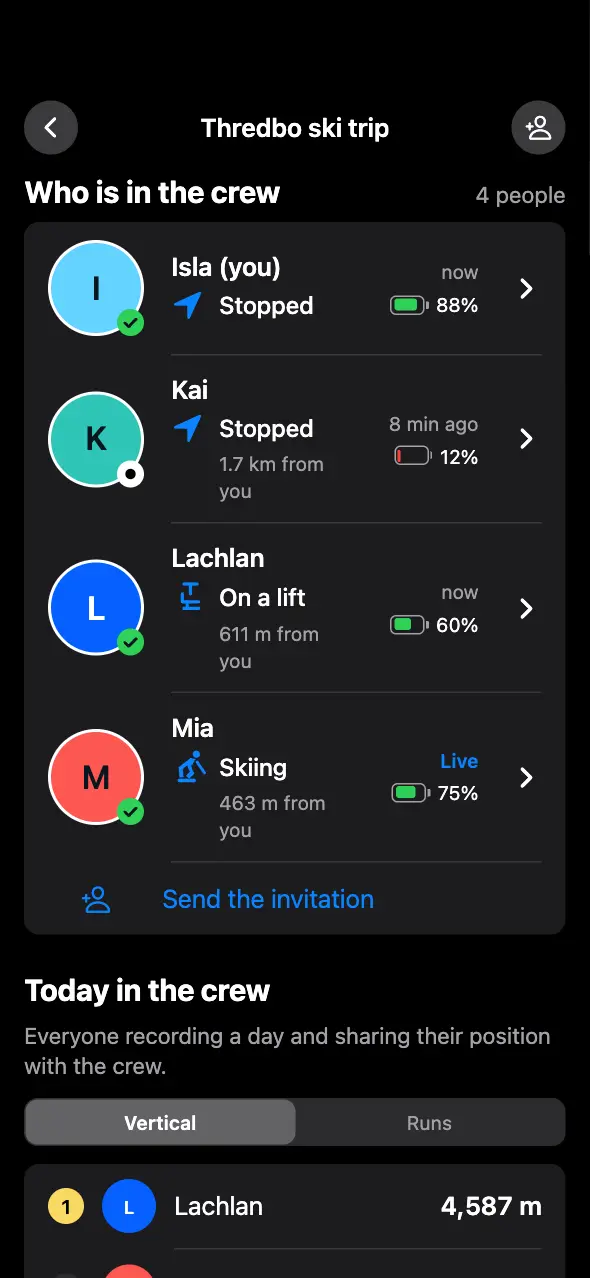
Who is where
Skiing, on a lift or stopped, how far away, how fresh the position is and how much battery is left.
9:41
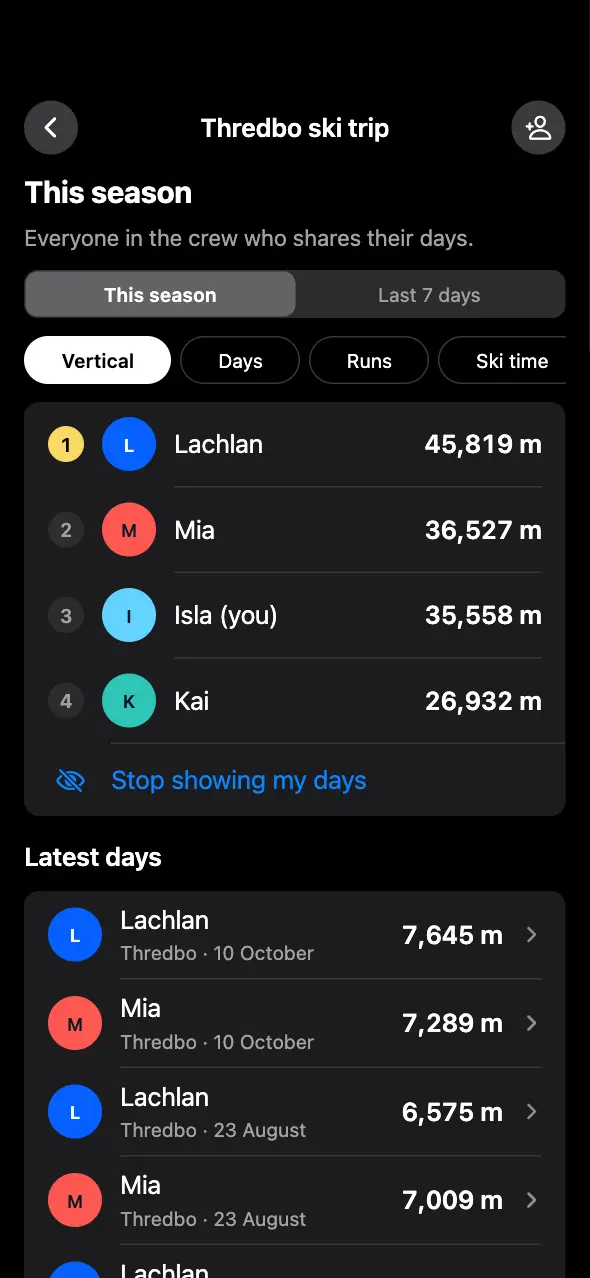
Your crew’s season
Compare vertical, runs and days across the season with everyone in the crew who shares their days.
9:41
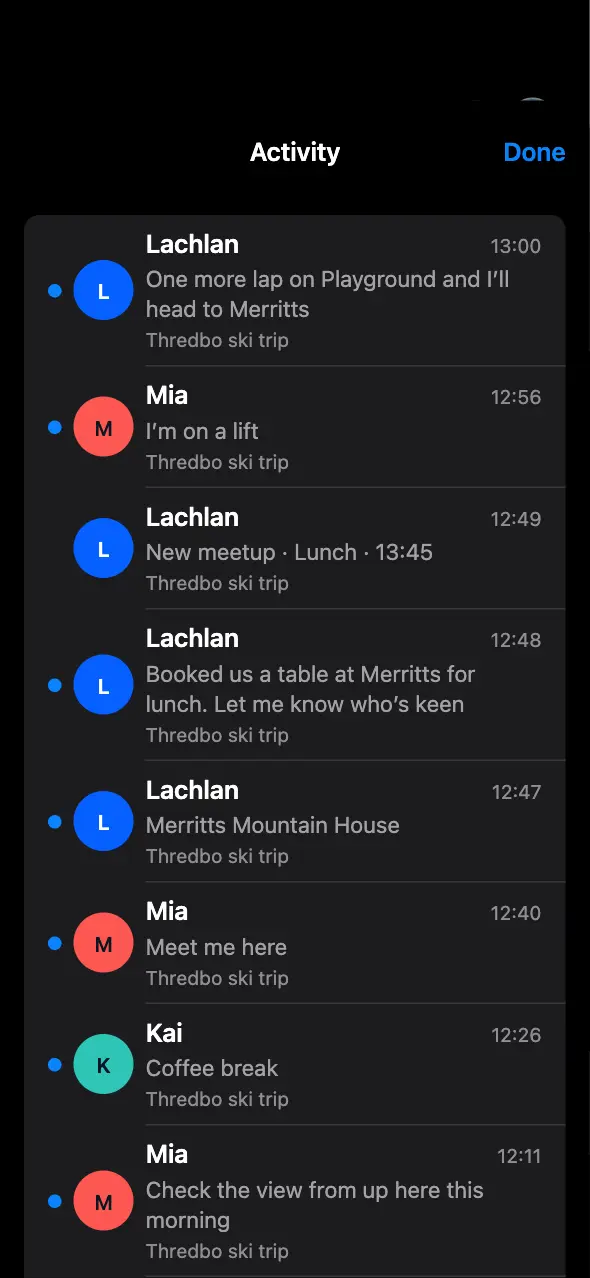
Activity
Messages and new meetups from all your crews, in one list.
Find a mate
Follow an arrow with distance and height difference to find someone in your crew. For someone without the app, send a Find me link that opens in any browser.
I need help
Send your position to your crews. The resort’s emergency numbers are on the same screen.
Invite with a code
Send a code or show a QR code. It works for a week, and the person who runs the crew can make a new one at any time.
Your season
Every day you skiadds up.
Days, trips, runs and records build up by themselves, season after season.
9:41
Season overview
See vertical, days and runs across the season.
9:41
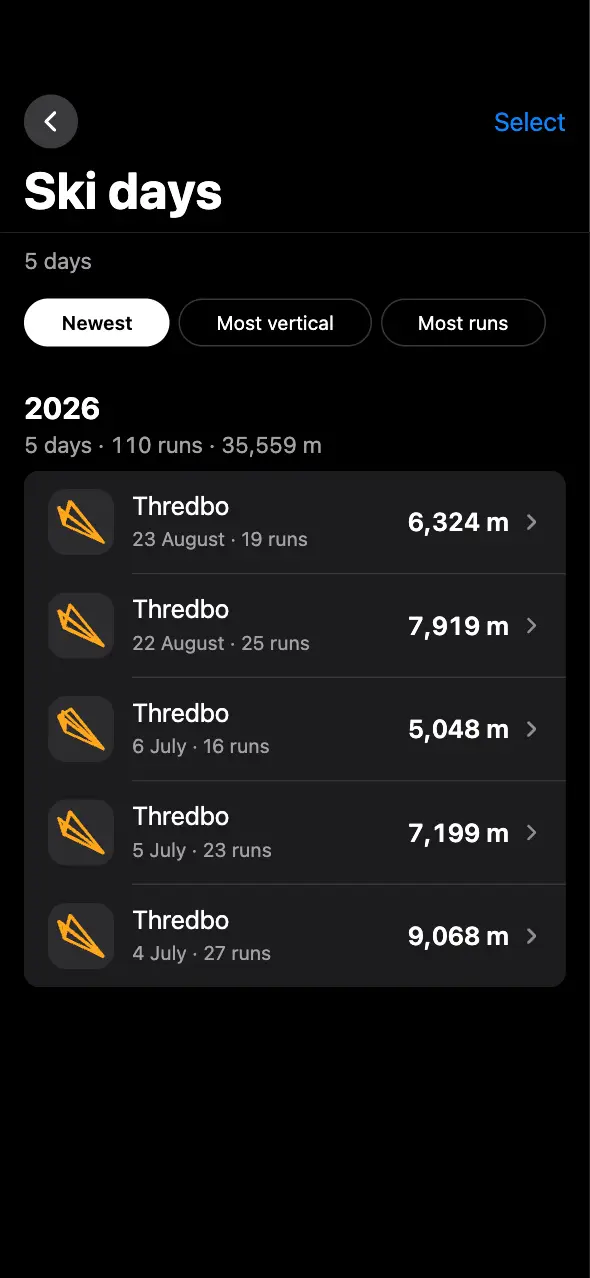
Ski days
Every day of the season, sorted by date, vertical or number of runs.
9:41
Trips
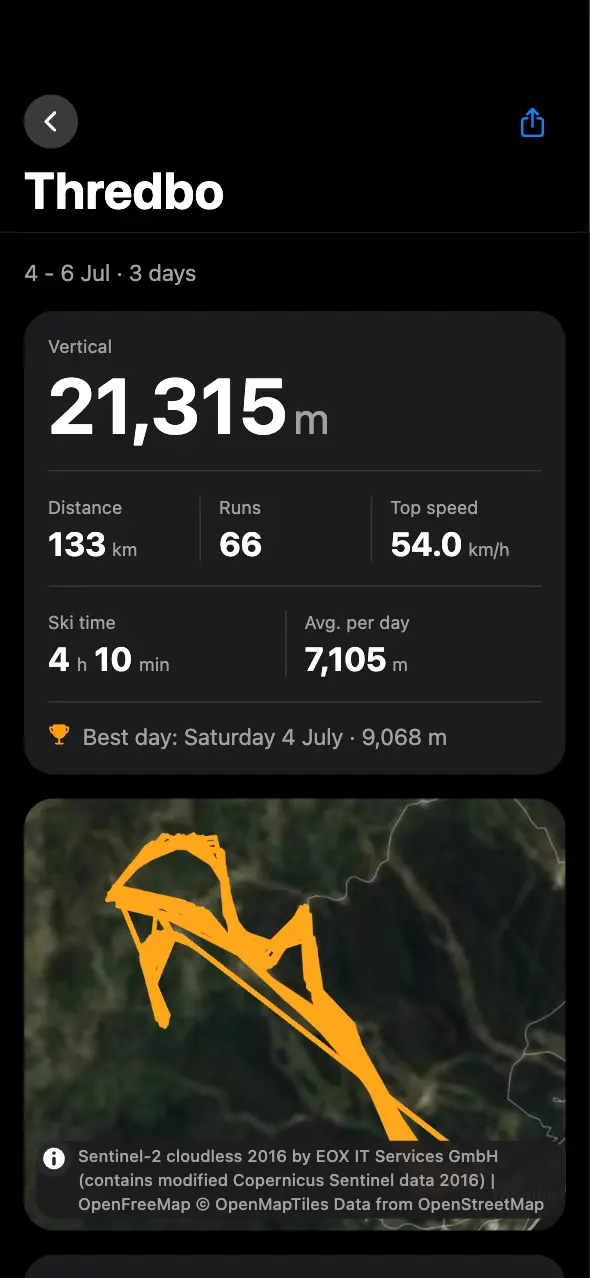
Days close together at one resort become a trip, with its own totals and map.
9:41
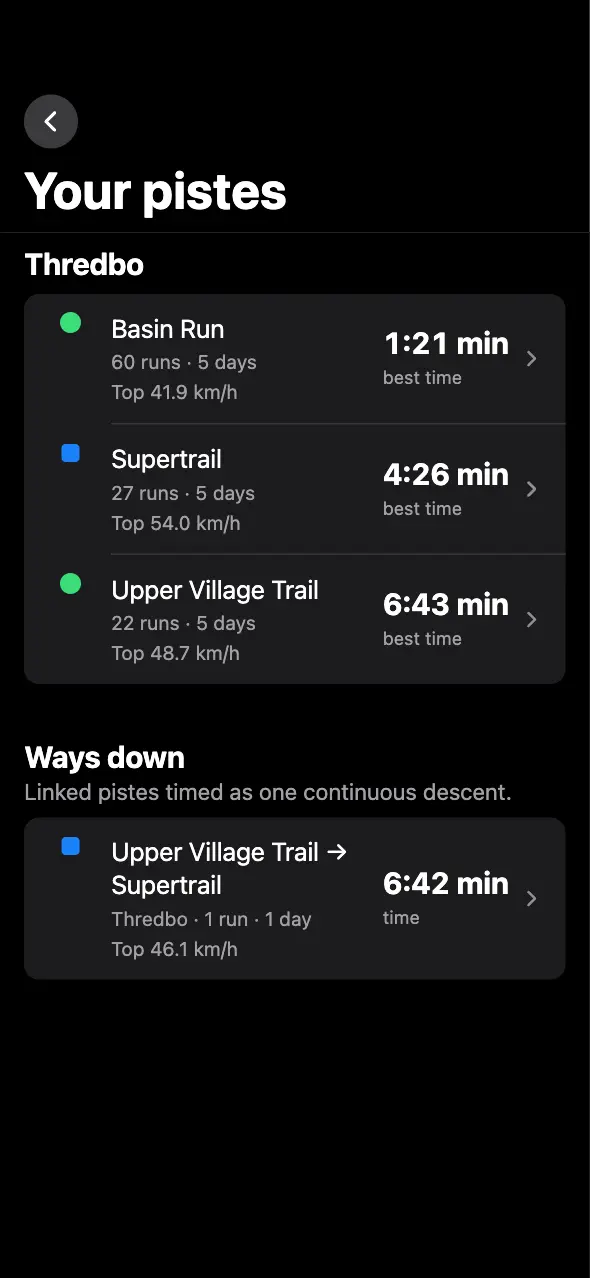
Your runs
Your best time on every run, and on your usual ways down: runs you link, timed as one descent.
9:41
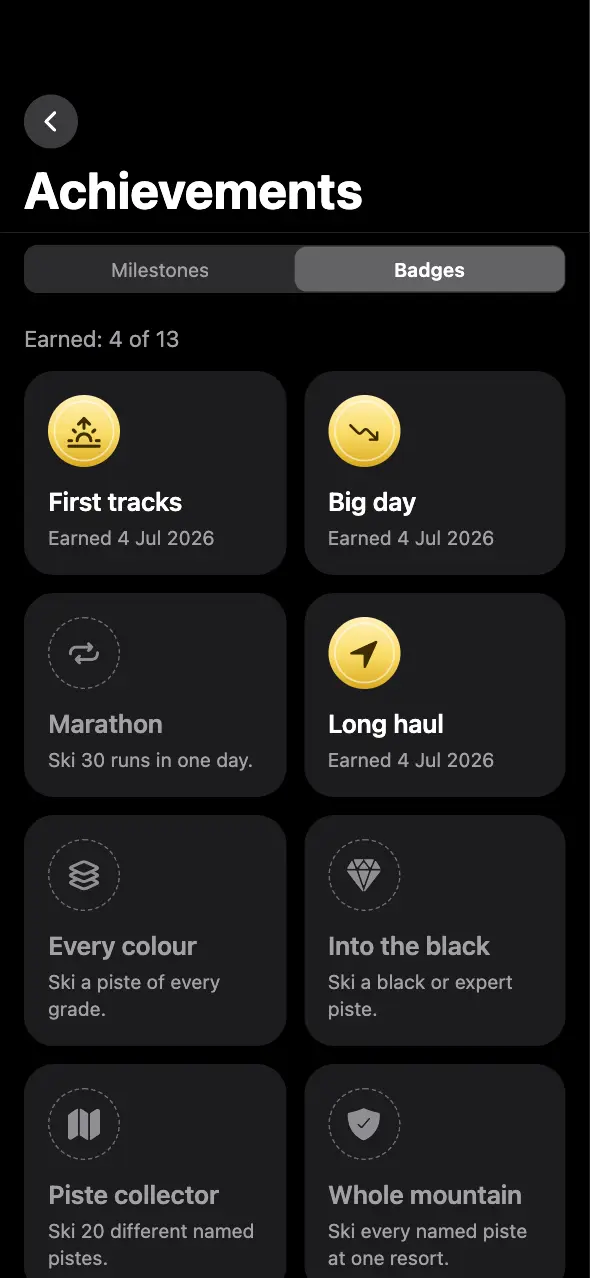
Badges
First tracks, a big day, every difficulty, twenty different runs and more.
9:41
Season poster
Your whole season on one card, ready to send.
Settings
Yours to set up.
Language, units, your profile, your gear and your data, which you can take with you at any time.
9:41
Settings
Units, run leaderboards, recording and battery, all on one screen.
9:41
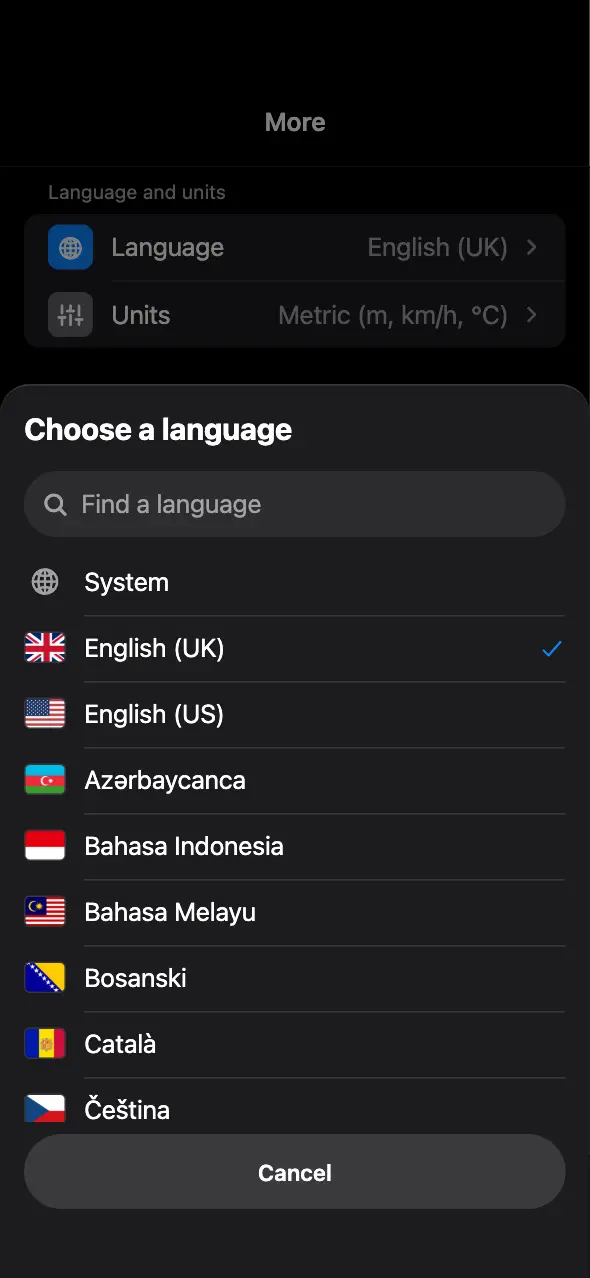
58 language versions
Each one with its flag. Or leave it on your phone’s language.
9:41
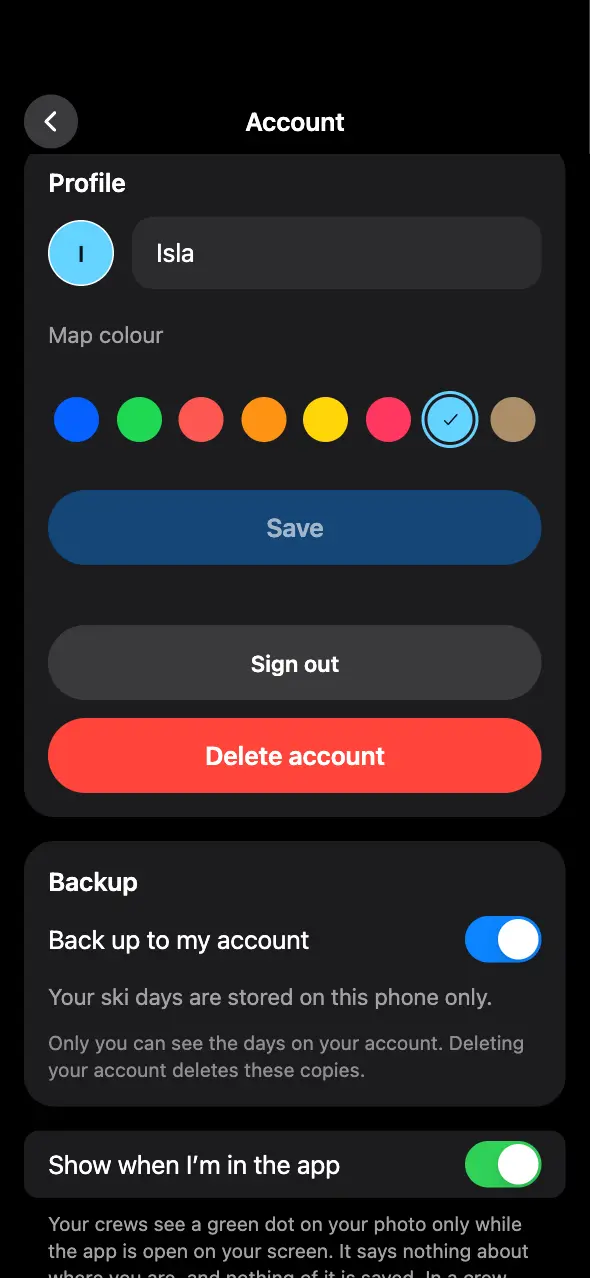
Profile
Your name, a photo and the colour your crew sees you in on the map.
9:41
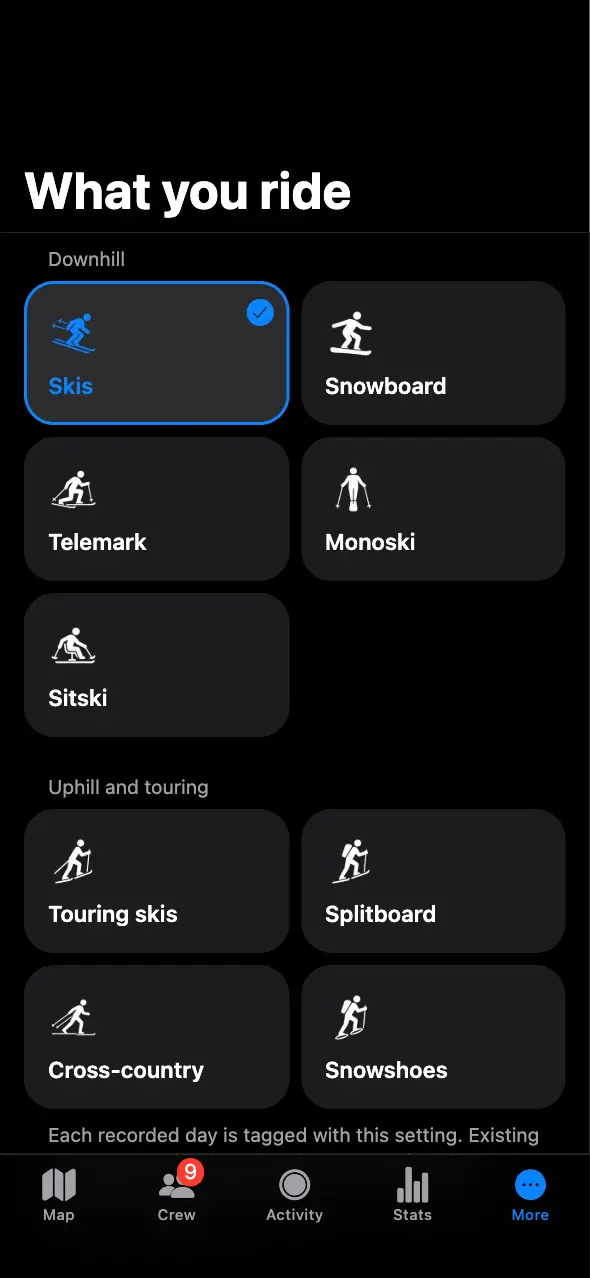
What you ride
Skis, snowboard, telemark, monoski, sitski, splitboard, touring skis, cross-country skis or snowshoes, kept with each day.
9:41
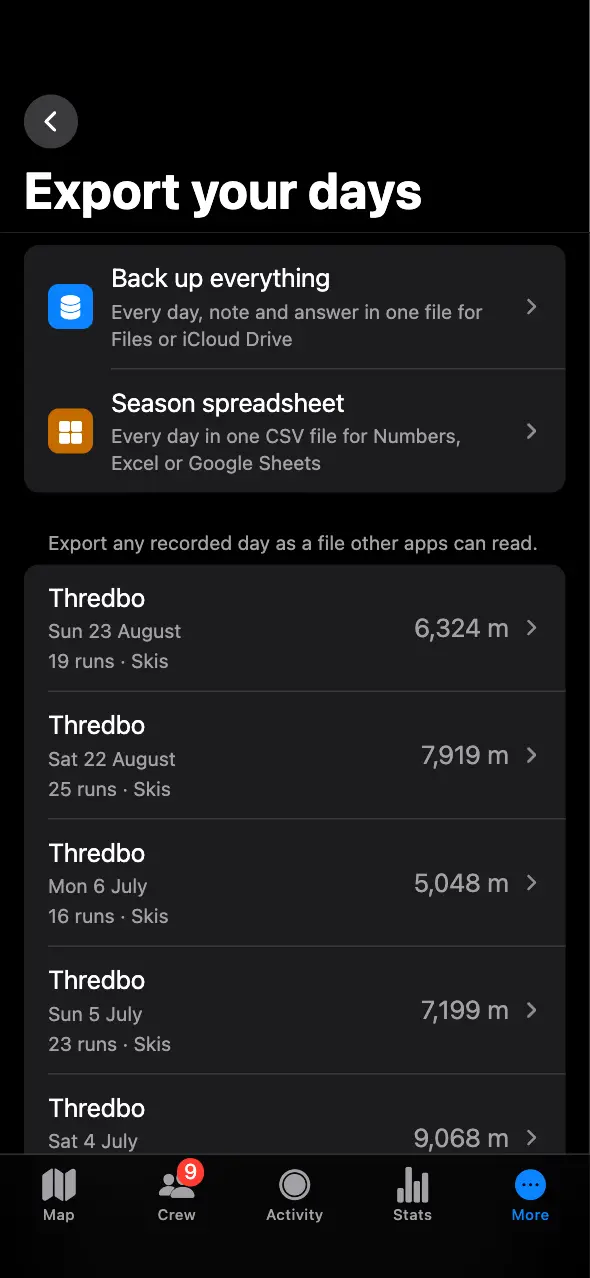
Export
Back up everything to one file, restore it, or open every day in a spreadsheet.
Apple Health
Heart rate through the day, heart rate zones, energy and steps from Apple Health, on each day you ski.
On the slope
Ahead of your best,as you ski.
While you ski, the screen names the run you are on and shows how far ahead of or behind your best you are at that point. At the bottom, it tells you which lift you usually take next and how long you usually wait there at this hour.
Lock Screen
Check your day.Keep skiing.
Your live day stays visible on the Lock Screen and in the Dynamic Island.
Apple Watch
Your dayin the Smart Stack.
The live card from your ski day also appears in the Smart Stack on Apple Watch.
Records on its own
The watch can record the day by itself, with heart rate and altitude, and sends it to your iPhone when it is nearby.
Your data
Your days stay yours.
No account required.
Record without an account. You only need one for crews, run leaderboards, Find me links and a cloud copy of your days.
Export your data.
Export GPX, FIT, CSV or a full copy of your data.
Keep a cloud copy.
With an account, PISTEBOUND can keep a cloud copy of your recorded days.
No ads. No data sales.
PISTEBOUND has no ads and does not sell your data.
Trail maps work offline.
Save a resort’s runs, lifts and forecast on your phone before you head out.
Import old days.
Bring in GPX, FIT or another ski app’s day files, or ski workouts from Apple Health.
Languages
Available in 58 language versions.
Choose a language in the app or use your phone’s language.
Try it before the season.
PISTEBOUND is on the App Store, free for iPhone and Apple Watch.